
Light and Dark Mode
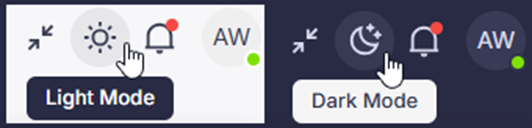
- Navigate to your top right icon set, note the sun or moon icon to switch from light to dark mode. Gathid will default to your system preference, but feel free to switch it up when need be.
Search
- Pulse widgets - Set your companies Identity goals pinned top and center on the search page. Never lose sight of the number of Terminated Users with Active Access, Dormant Access ready to be disabled, User Accounts not linking to People, and or any other control your organization is focused on.
Pulse widgets can be set and modified with your customer success representative, reach out today to learn more or head to the knowledge base for more information.
Explore from Search Graph
- Ever been traversing your graph and just interested to see what else is related to this entity? From v2.4 you can click to explore this entity (via the compass tool on the toolbar) to drop that entity in to the first step of your Explore query. Remove the unique identifier for your specific entity and click run to see others just like it.
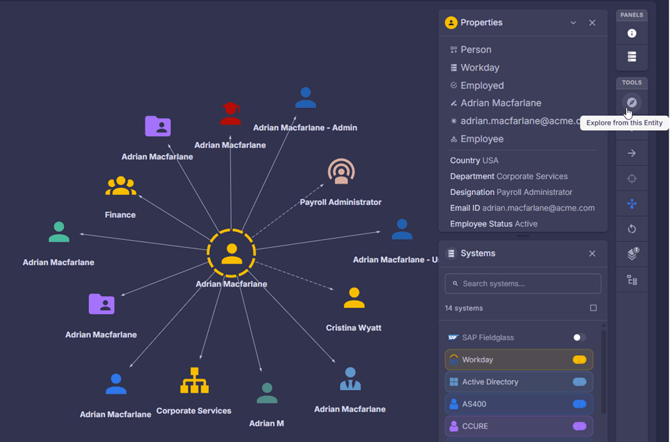
- Step in or out from the entity to see other related entities.
Upload Portal
- Now available in the app - less logins for human users to manage separately, more secure user experience. Administrators can access via Admin > Upload Portal.
- Adding data to your Upload Portal, you will now choose the system to drop your file to.
Be sure to also check the System > Data Sources > Data File field to confirm that the configuration is looking at the system folder (rather than “bucket” as this was the legacy location where the file had previously been uploaded).
Note: If data is being pushed automatically to your Gathid bucket, there is no urgent need to move this feed to the system folder. The Data File location will only need to be updated when the file is moved.
Gathid User Access
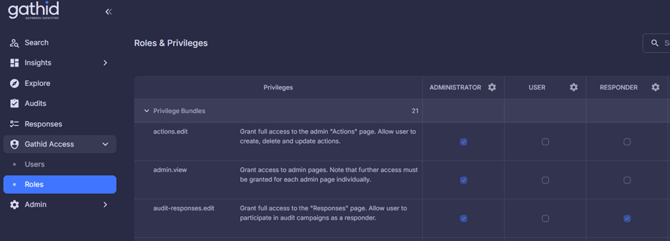
- Gathid delivers control to the hands of the administrators, who want better visibility as to who (users) can do what (roles and privilege bundles) for which systems. Check expected users username ahead of a failed login attempt, verify their group membership is appropriate. View and copy out-of-the-box roles or create and modify new roles via Gathid’s new Gathid Access > Users and Roles menu items.
Systems
- Adding a new system has never been easier and we are just getting started. Connect your system data via csv, or api system data connector right from Admin > Systems > Add new system. Follow the flow to upload and configure your data, then link it into your graph via your Gathid Relationship Builder.
- Considering how long your graph takes to build, in this latest version of Gathid, you may be interested in rerunning your graph to test and incorporate your new data. NOTE: There may be a performance impact when rerunning your graph, so be mindful of other users (and the time between your most recent stack started and completed time, before hitting that rerun today’s stack button.
System Data Connectors
- All Gathid system data connectors have received a refresh during the past few months, and now our roadmap is picking up momentum.
- Latest SharePoint, and Atlassian connectors are now ready for use in your Gathid System > Add new system modal.
👉Link to PDF version here:Gathid v2.4.0 Release Notes